Not every technology purchase is glamorous. A small fingerprint reader on a desk and a headset in a kitchen can quietly decide how smooth your day runs. This article looks at two such tools: the Secugen Hampster Pro 20 for identity checks, and an HME drive thru in Riyadh for fast, clear car-lane service. We explain what each does and how to evaluate them in 2026.
If you manage a business in Saudi Arabia or serve customers across the region, you will find practical checklists below rather than marketing claims.
Meet the Secugen Hampster Pro 20
The Secugen Hampster Pro 20 is a USB optical fingerprint reader built for desktop environments. It scans a finger, produces an image and hands it to software that creates a template for comparison. People use it to log in to computers, clock in to work, or confirm customer identity at a counter.
You can review specifications for the Secugen Hampster Pro 20 on the Next Gen Technologies product page.
Strengths worth knowing
- Compact body that fits crowded counters.
- Plug-and-play USB connection.
- Compatibility with many third-party applications through developer tools.
- A familiar choice for integrators building custom identity workflows.
Limits to be honest about
- It verifies identity but does not replace a full access-control system.
- Very dry, worn or damaged fingertips can reduce read quality.
- Performance depends heavily on the software you pair it with.
How Do You Roll Out Fingerprint Verification Properly?
Success comes from process, not just hardware. Here is a sequence that works for offices, clinics and retail teams.
- Write down the single problem you want to solve, such as proxy attendance.
- Choose software that supports the reader and exports clear reports.
- Buy one unit and test it with a mixed group of staff.
- Explain to employees what data is stored and who can see it.
- Enroll two fingers each and test a match on the spot.
- Review rejection rates after two weeks and adjust.
Transparency builds trust. Staff accept biometrics far more readily when they know a template, not a picture, is stored and when they can ask questions.
What Is an HME Drive Thru in Riyadh Used For?
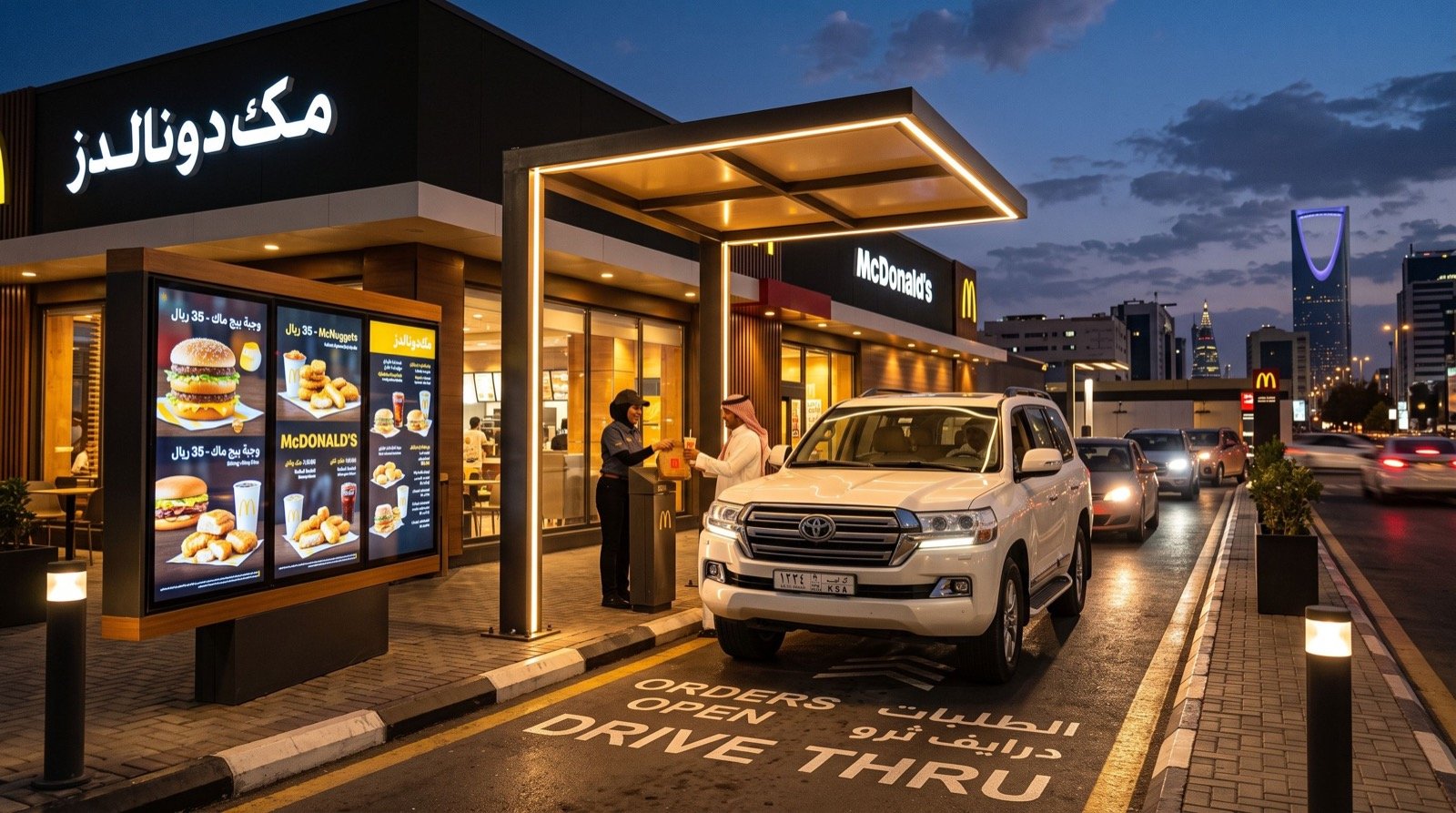
Riyadh is a car-centered city. Wide roads, high temperatures and busy schedules mean many customers choose to order without leaving the vehicle. Restaurants, coffee shops and pharmacies respond with drive-thru lanes, and the quality of audio and timing decides whether those lanes help or hurt.
An HME Drive Thru in Riyadh typically combines wireless headsets, a base station, speaker posts and timers. Staff hear orders clearly even with engine noise, and managers see how long each car waits.
Main components explained
| Component | Role | Practical note |
|---|---|---|
| Wireless headsets | Let staff talk and move at the same time | Keep spare batteries charged |
| Speaker post | Captures the customer’s voice | Position away from heavy traffic noise |
| Vehicle detector | Starts the order timer automatically | Check alignment after road works |
| Timers and reports | Show average service time | Review weekly with the team |
| Order display | Confirms the order to the customer | Use clear Arabic and English text |
You can learn more about the technology brand through the official HME website.
Two Tools, One Idea: Reduce Friction
At first glance a fingerprint reader and a drive-thru headset have nothing in common. In practice both exist to shorten the distance between a customer’s need and your response. One confirms who is standing at the counter. The other confirms what the driver wants, quickly and accurately.
Businesses that treat both as parts of the same service journey often discover small wins. For example, a loyalty program that verifies members by fingerprint at the counter can pair with a lane that recognizes the same customer’s usual order.
Quick comparison
| Question | Fingerprint reader | HME drive thru |
|---|---|---|
| Problem solved | Who is this person? | What does this driver want, and how fast can we deliver? |
| Typical environment | Office or service desk | Outdoor lane and kitchen |
| Success measure | Low false rejection | Short, steady order-to-handover time |
| Training focus | Correct finger placement | Clear speech and order repetition |
Practical Tips From Real Deployments
One lesson stands out. Test in the conditions you will actually work in. A fingerprint reader behaves differently in a dusty workshop than in an air-conditioned bank, and a speaker post sounds different at noon traffic than in a quiet demo.
- Run any lane trial during your busiest hour, not a quiet morning.
- Ask staff what annoys them about the current setup before choosing replacements.
- Keep a log of faults for the first month and share it with your supplier.
- Plan for Ramadan schedules, when peaks shift to evening hours.
Privacy, Standards and Support
Whenever you capture biometrics or record customer interactions, check the data rules that apply in your country. Keep templates encrypted, restrict database access and delete records for people who leave. For the lane, confirm local signage and traffic requirements with the municipality.
Choose a supplier that offers local support and spare parts. Downtime at a counter or a lane costs more than any small saving on purchase price.
Frequently Asked Questions
What is the Secugen Hampster Pro 20 used for?
It is used to capture fingerprints for login, attendance and customer verification, depending on the software you connect to it.
Does a drive-thru system suit small cafes in Riyadh?
Yes, if you have lane space and enough traffic. Smaller setups with a few headsets can still improve clarity and speed.
Can I buy the reader and the drive-thru equipment from one supplier?
It is possible with a technology partner that covers both. This can simplify support and training, though you should still compare quotes.
How do I know the investment is working?
Measure before and after. For the reader, track rejected scans and time per check-in. For the lane, track average time from order to handover.
Wrapping Up
The Secugen Hampster Pro 20 and a well-planned drive-thru lane each remove a small but real source of delay. Start with one clear goal, test in real conditions and expand once the numbers justify it. When you are comparing providers, talk to quality service providers and technology specialists, and reach out to Next Gen Technologies to discuss what suits your site in 2026.